
Three steps, all done on your phone. Prefer video? Tap the button below.
Before step one, make sure you can sign in quickly: bonuses can only be switched on from inside your account, after your W1N login.
▶ Play the video walkthrough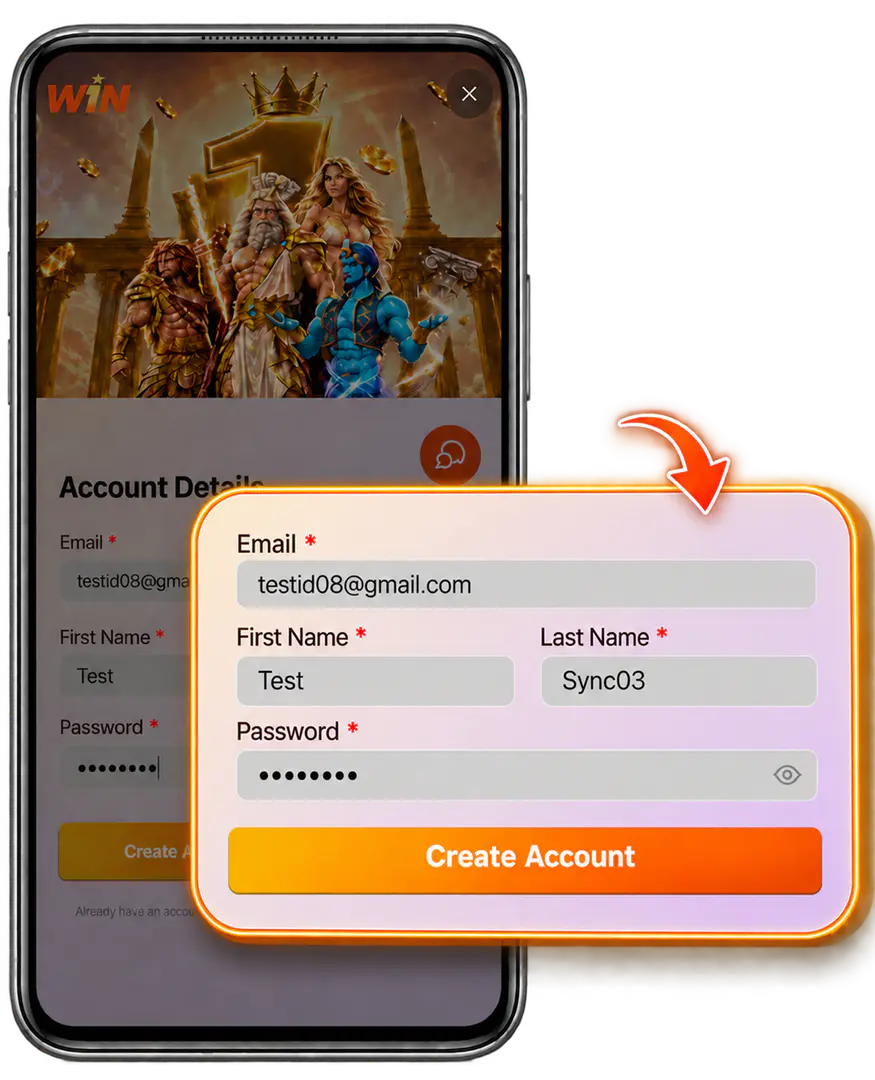 STEP 1
Sign up from your phone
Tap Register, type in your name, mobile number and a password, then submit. The form fits on one screen, so there is no need to switch to a computer.
 STEP 2
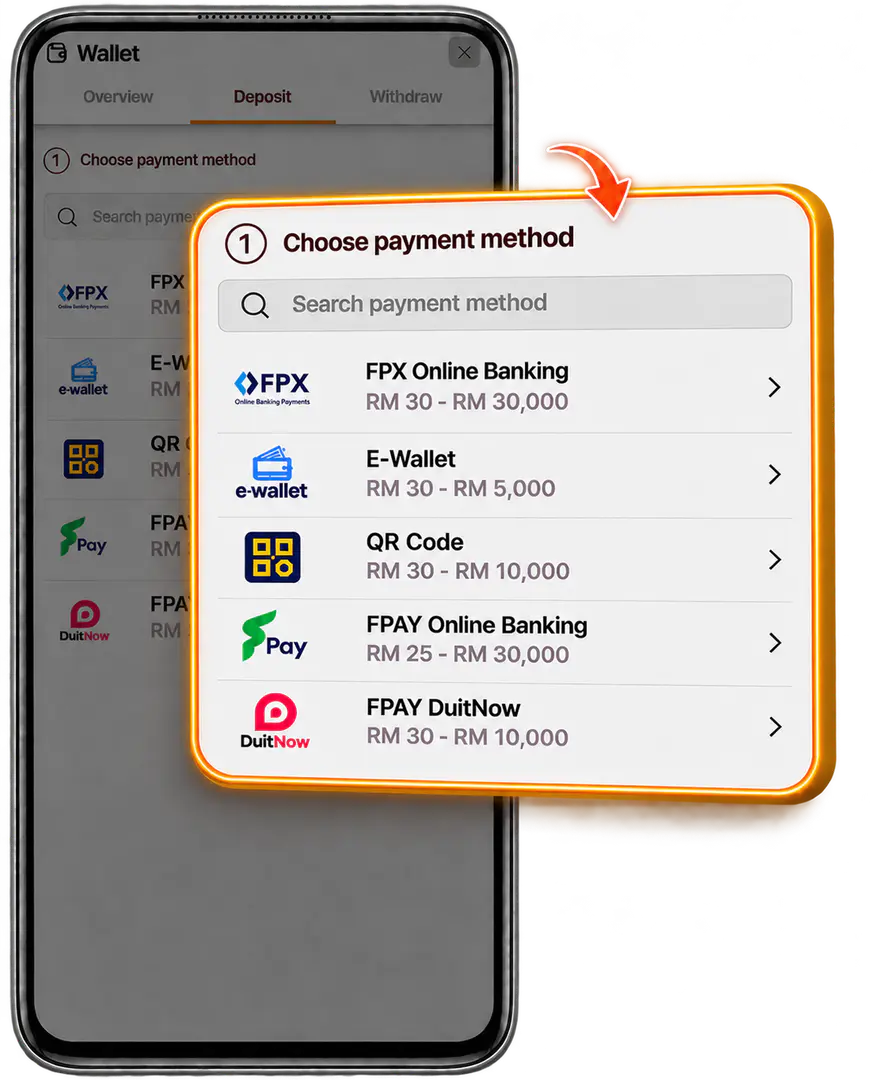
Top up your wallet
Tap Deposit and pick online banking, DuitNow, Touch 'n Go eWallet or QR. Your banking or e-wallet app opens to approve the payment; switch back to W1N.win and the RM amount is already in your balance.
 STEP 3
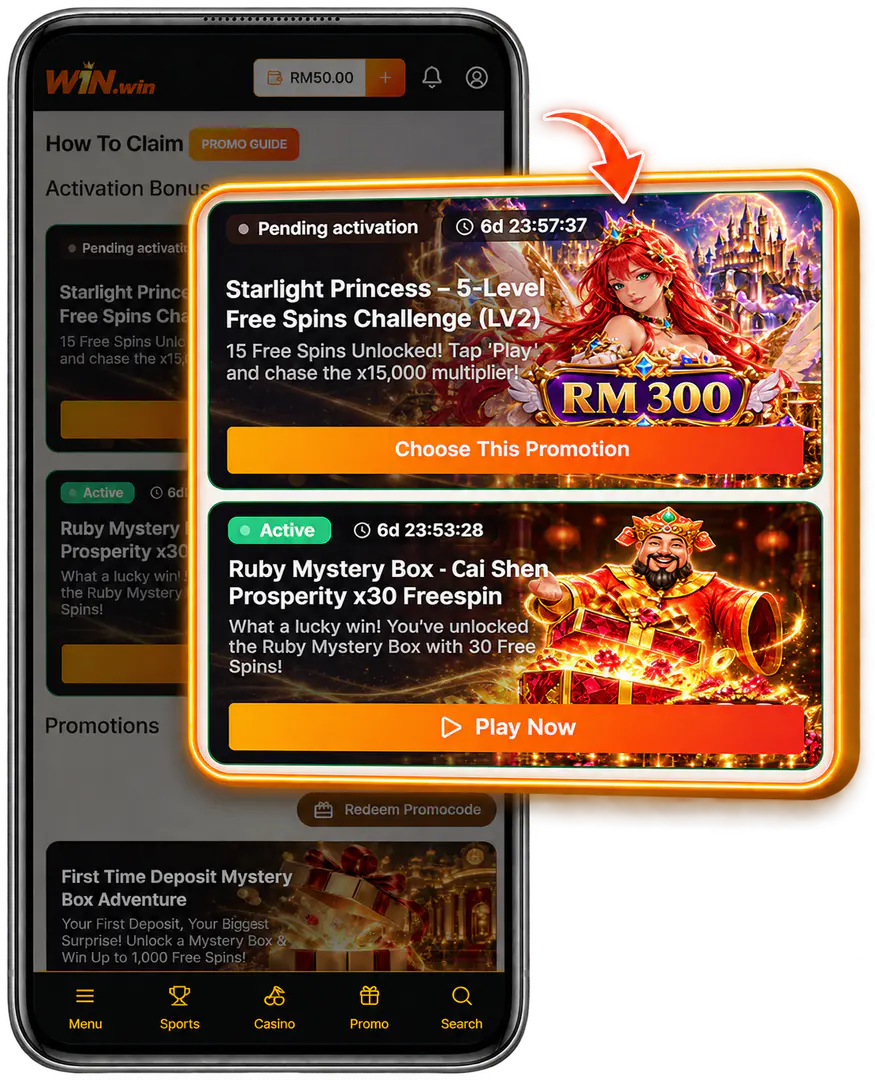
Switch on the promotion
Open Promotions, tap the offer you want and read its conditions on screen. Tap "Choose This Promotion" or "Play Now" to start it, and the bonus is linked to your wallet.